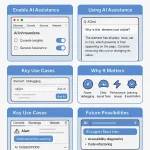
Supercharge Web Development with AI-Powered DevTools in Chrome
Bring intelligence to your browser with AI-enhanced DevTools, powered by Google's Gemini model.Chrome now offers built-in AI assistance to help developers debug, optimize, and build smarter—faster. Whether you're a seasoned engineer or just starting out, these tools can dramatically improve your workflow.
 How to Enable AI Assistance in Chrome DevTools
Getting started is simple. Follow these steps to activate AI features:- Update Chrome to the latest version to ensure compatibility.
- Open Chrome DevTools (Right-click → Inspect or press Ctrl+Shift+I / Cmd+Option+I).
- Navigate to Settings → AI Innovations.
- Carefully review the "Things to Consider" section to understand how your data is handled.
- Toggle on:
- Console Insights
- General Assistance
- Sign in with your Google Account—AI features require authentication to function properly.
 How to Use AI Assistance in DevTools
Once enabled, a new AI Assistance tab appears in the Console panel. You can interact with it using natural language prompts like:- "What's causing this layout issue?"
- "Explain this error."
- "How can I improve performance?"
 Top Use Cases for AI in DevTools
Here's how developers are already benefiting:1. Element & Style Debugging
- Select an element or right-click in the DOM tree and choose "Ask AI."
- Example prompt:
"Why is this element not visible?" - The AI will analyze styles, visibility rules, and layout constraints to offer actionable fixes.
2. Console Error Insights
- Chrome now adds an "Understand this warning" button next to console messages.
- Clicking it triggers AI analysis that explains the issue in plain language and suggests solutions.
3. Performance Optimization
- Ask:
"How can I speed up this page?" - The AI will review network requests, resource usage, and rendering bottlenecks to recommend improvements.
4. Code Explanation & Learning
- Use prompts like:
"What does this JavaScript function do?"
"Explain this async error." - Great for junior developers or anyone learning on the job.
 Why This Matters
AI-powered DevTools are more than just a convenience—they're a productivity multiplier:- 🛠 Faster debugging with contextual insights
 Smarter layout fixes without guesswork
 Performance tuning made simple
 Learning support for junior developers
 Automation for repetitive tasks
 What's Next for AI in DevTools?
This is just the beginning. Future updates may include:- Framework-specific guidance (React, Vue, Angular, etc.)
- Deeper integration with Lighthouse and Core Web Vitals
- Advanced diagnostics for accessibility, SEO, and security
- AI-assisted code generation and refactoring
 Final Thoughts
Chrome's AI-enhanced DevTools are reshaping how developers interact with the browser. Whether you're fixing bugs, optimizing performance, or just exploring a new codebase, this intelligent assistant is here to help—right where you work.